> For the complete documentation index, see [llms.txt](https://help.cymmetri.io/llms.txt). Markdown versions of documentation pages are available by appending `.md` to page URLs; this page is available as [Markdown](https://help.cymmetri.io/getting-started/personalization/ticker.md).
# Ticker
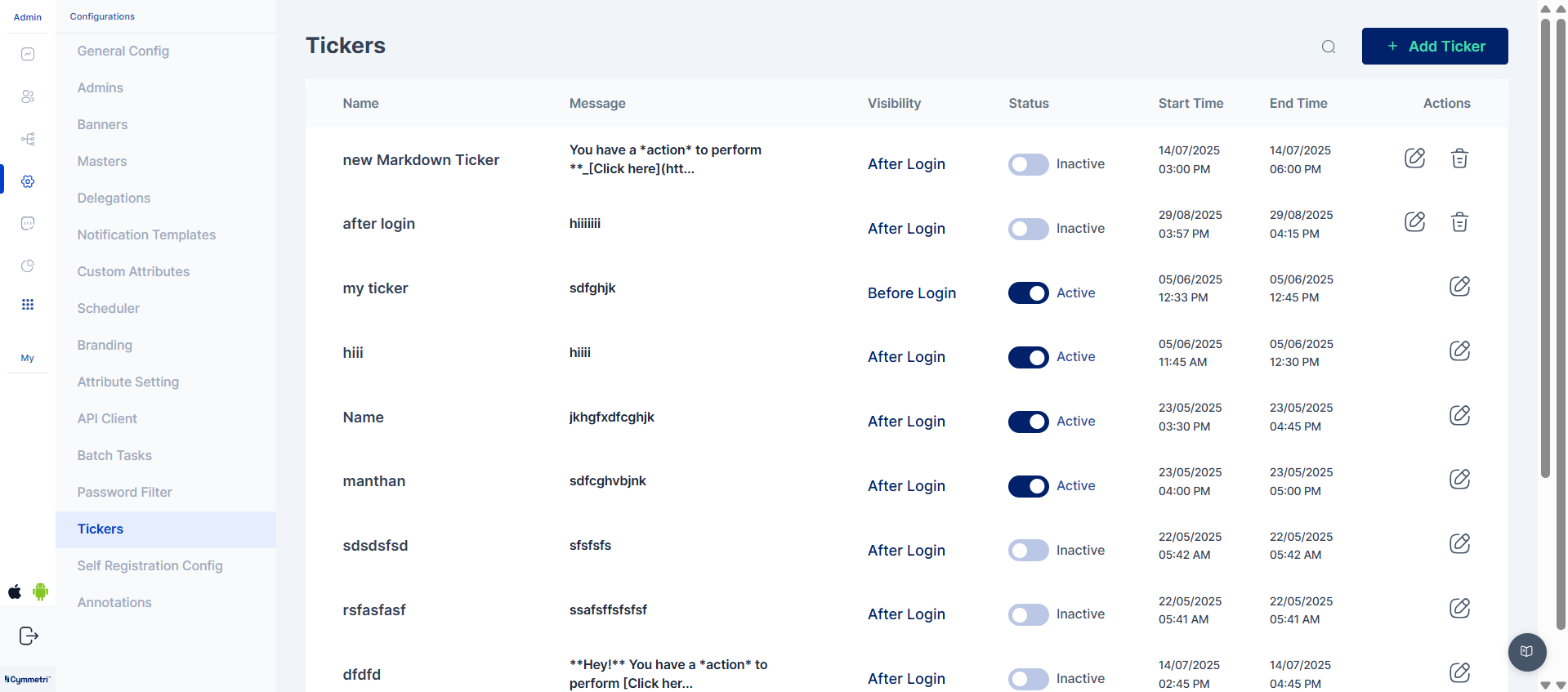
The Ticker feature is a powerful communication tool in the Cymmetri platform that allows administrators to broadcast real-time, time-sensitive, text-based messages to users. It's a key component for improving internal communication and enhancing security awareness.
This feature provides a robust channel for broadcasting important updates and alerts, including:
* Urgent Announcements: Instantly communicate system-wide announcements, such as new policies or security reminders.
* Maintenance Notifications: Inform users about scheduled system maintenance or downtime to minimize disruption.
* Targeted Messaging: Administrators can configure rules to broadcast messages to specific user groups or individuals, ensuring relevance and reducing notification fatigue.
Tickers are highly configurable, offering two primary display options to give administrators full control over their communication strategy.
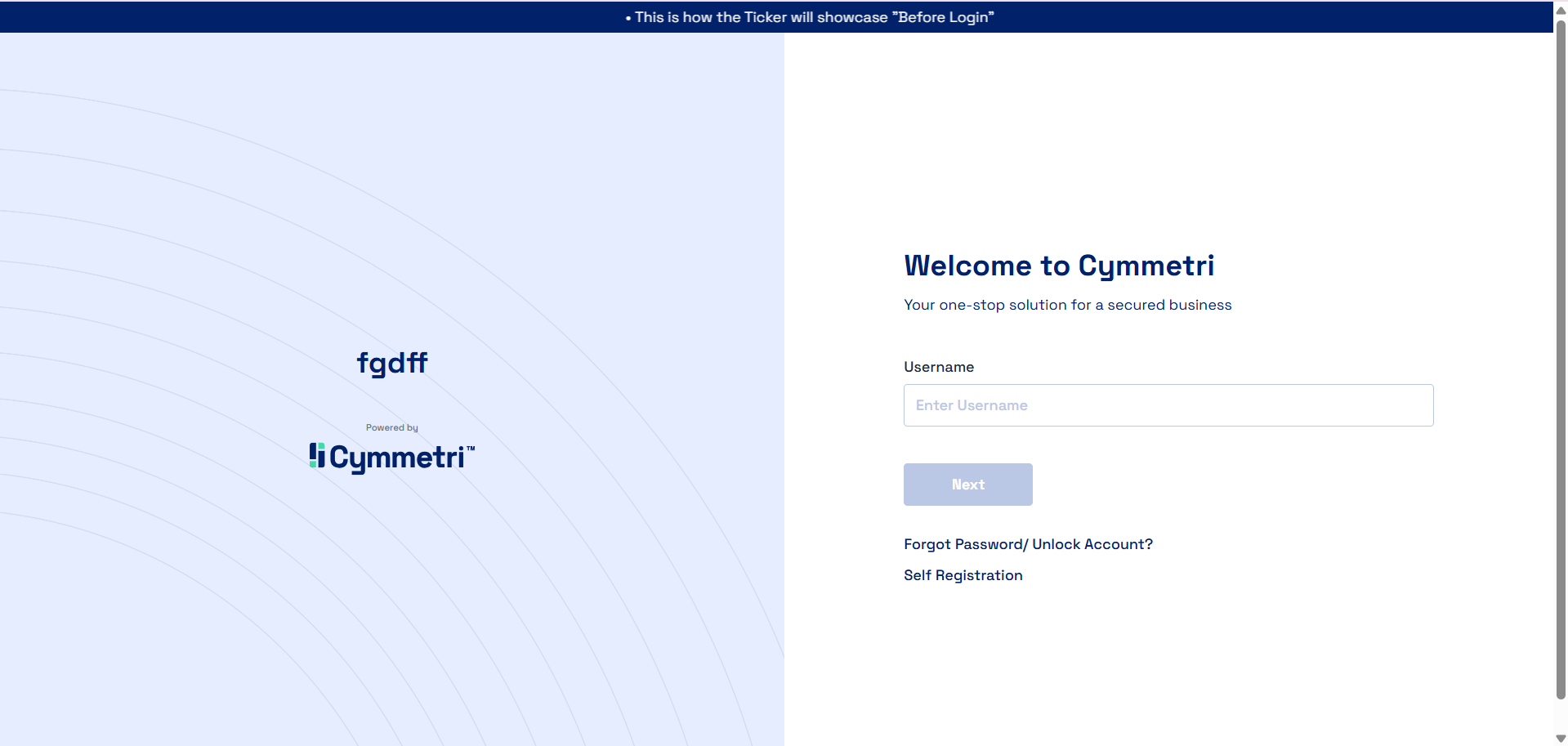
**Before Login**
This option is designed for broadcasting critical messages that every user must see before they can access the system. These tickers appear directly on the login page and are essential for communicating information like system-wide outages or mandatory security alerts.
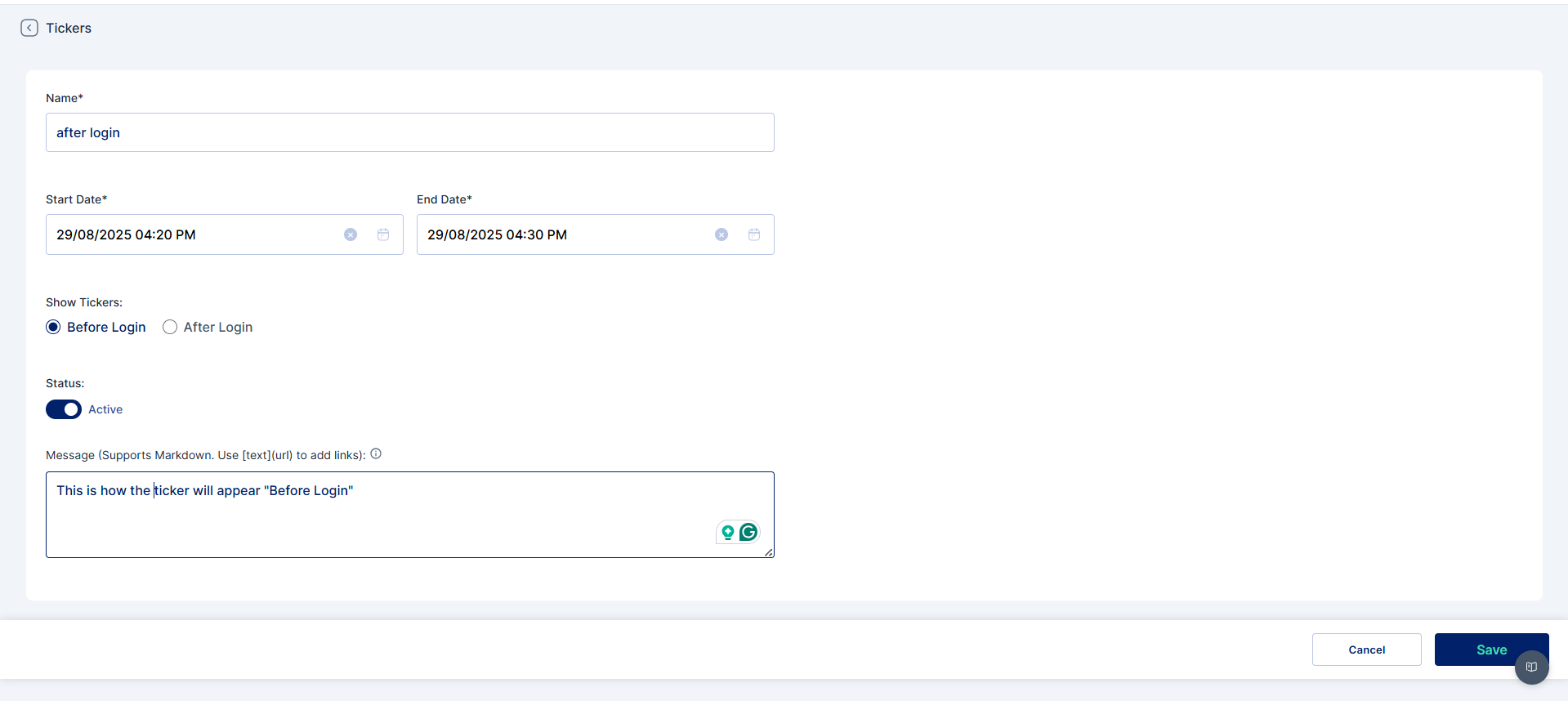
To configure a "Before Login" ticker, administrators define the following parameters:
* **Name**: A unique, descriptive name to easily identify the ticker.
* **Start Date & End Date**: Specifies the time frame during which the ticker will be visible.
* **Show Tickers**: Set to Before Login to ensure the message is displayed on the login page.
* **Status**: The state of the ticker, either Active (visible) or Inactive (hidden).
* **Message**: The specific text content to be displayed.
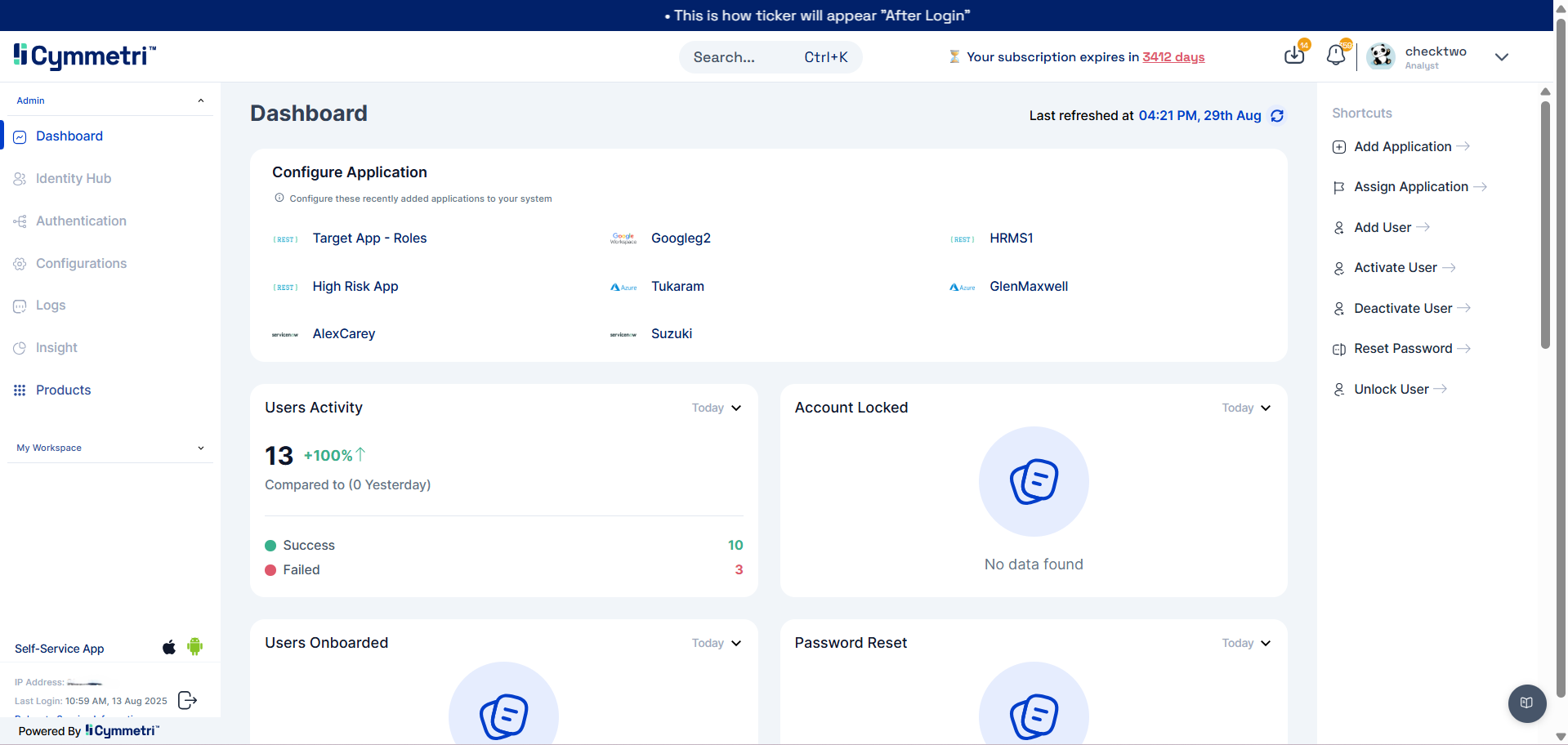
**After Login**
This option is used for displaying messages on the user's dashboard after they have successfully logged in. It's suitable for general announcements, policy updates, or news that isn't a hard requirement for system access.
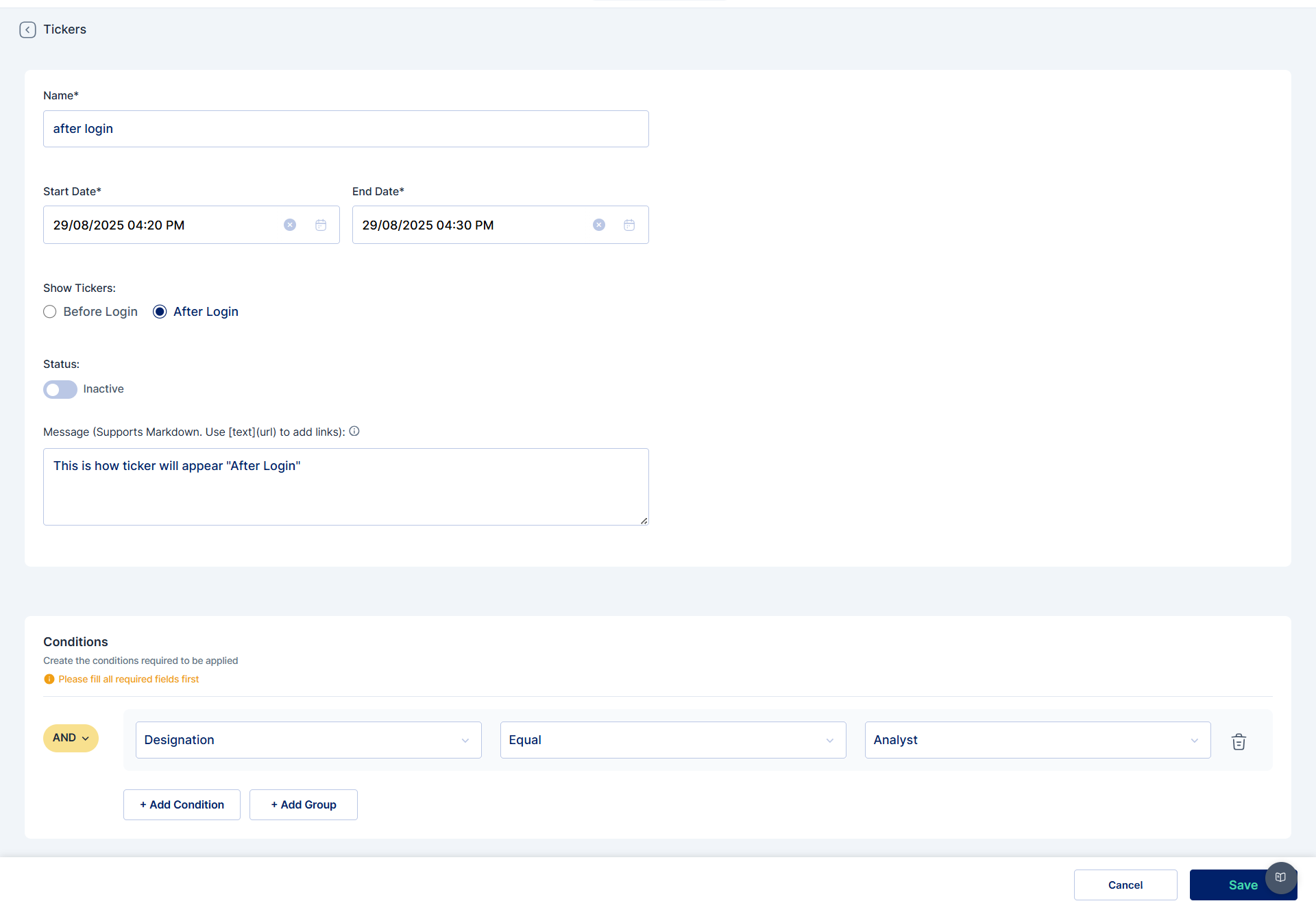
The configuration parameters are the same as the "Before Login" option, with one crucial difference: Show Tickers is set to After Login.
A key advantage of the "After Login" option is its support for conditional logic. Administrators can add rules to display messages only to specific users or groups based on attributes like department or role. This ensures communication is highly targeted and relevant.